

Yes, programming can be part of information technology, but it is not all of IT. You may be choosing a skill to learn or weighing a career path, and that difference matters.
In the technology world, some IT work uses code to solve problems. Other work centers on keeping systems available and helping people use them. The skills required depend on the work, not just the job title.
Here, you will get a clear distinction between IT operations, programming, and software development. That distinction can help you choose which kind of work to explore.
Key Takeaways
- Code is useful in many IT roles, but not every task needs it.
- IT often focuses on operating and supporting systems.
- Software developers build and maintain software.
- Programming skills can connect IT work with software development.
- A small project can help you test your interest.
Is Programming Part of Information Technology?
An IT professional might use a short script to set the same account rules on several computers. That is one practical overlap between IT and programming.
IT includes work that uses code, as well as work that does not require writing it. Programming also happens outside IT, such as in scientific research, design, and business software.
Code can support IT work, but IT is broader than code. Programming also has uses beyond IT.
IT professionals may write code to automate tasks, configure systems, or troubleshoot a problem. They might also rely on settings in existing tools instead of writing new code.
So, is programming part of information technology or software? It can support IT systems and software, but it is not the same thing as either field. A programmer can build a product, while an IT professional may install and support it.
The overlap depends on the task and workplace. A small IT team might write scripts often, while another team handles support through built-in tools.
Understanding what a program is makes this relationship easier to see. A program gives a computer instructions for doing a particular task.
What Is Programming in Simple Words?
A computer program is like a precise set of instructions for completing a task. Computer programming means creating and caring for those instructions so a computer can act on them.
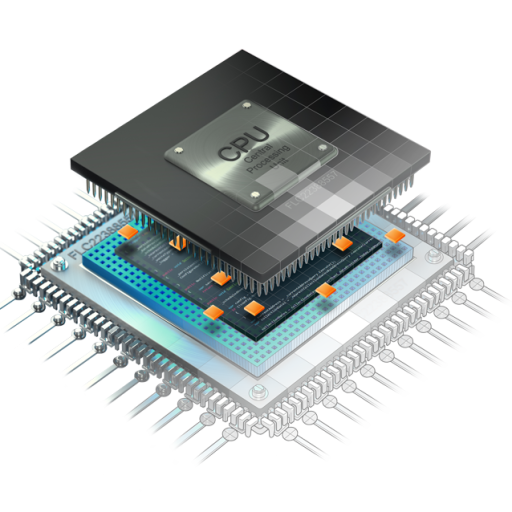
Source code is the human-readable instructions written in a programming language that a computer can process and execute. The computer runs translated or interpreted instructions, not the source code in the same form people read.
How source code becomes executable instructions
Imagine asking a computer to check a folder for a certain file, then move it to another folder. A program must state what to check and what to do next.
Writing code is only part of the process. A programmer tests the result, fixes errors, and updates the program when needs change.
A beginner’s workflow often includes these four steps:
- Write source code that describes the task.
- Test the program with sample files or data.
- Debug errors by finding and fixing their cause.
- Maintain the code as the task or system changes.
These steps explain what programming means in simple words: people design instructions, check whether they work, and keep them useful.
What programming languages contribute
A programming language is a set of rules and words used to write instructions. Its syntax, or writing rules, tells programmers how to arrange the code.
Knowing what a programming language is helps explain how people communicate tasks to computers. Different programming languages suit different kinds of work, but each needs clear instructions.
To understand what programming is in a computer, keep the two forms distinct: people read source code, while computers process instructions translated or interpreted from it.
The way a program works leads to a wider question: how does this field relate to IT, software development, and computer science?
For a further introduction, Southern New Hampshire University’s overview of computer programming describes writing, testing, debugging, and updating code.
How Does IT Differ From Software Development?
One team keeps an organization’s systems running; another creates a new application. Their main goals differ, even when their work touches the same technology.
IT commonly operates and supports systems, while software development designs, builds, tests, and maintains software. Computer science studies computing ideas and principles, including how computers and programs work.
IT operations and infrastructure
IT operations cover the daily work needed to keep computers, networks, and other infrastructure working. That can include setting up devices, managing access, and responding to service problems.
Programming may help with these tasks, but it is not required for every one. Some IT professionals use existing tools to manage systems without writing code.
Software development and computer science
Software development focuses on making software that meets a user or business need. Teams plan features, write code, test results, and maintain applications after release.
Is programming in computer science? Yes. Programming is a practical activity used in computer science, but computer science is a broader field of study.
Computer science can cover algorithms, data, and the principles behind computing. IT and computer science may overlap, while their usual day-to-day focus can differ.
| Field | Main focus | Typical work | How programming fits |
|---|---|---|---|
| IT | Operating and supporting systems | Manage devices, networks, and access | May automate or configure tasks |
| Software development | Building software | Design, test, and maintain applications | Often central to the work |
| Computer science | Computing concepts | Study algorithms and computing systems | Used to test and apply ideas |
| Overlap roles | Connecting software and systems | Manage tools, services, or infrastructure | Used to link or manage components |
Job titles and duties vary by employer. A systems analyst, for example, may connect business needs with technology; computer information systems careers include work in systems, data, networks, and security.
These field differences set the stage for practical tasks where IT professionals may use code.
What Do IT Professionals Use Programming For?
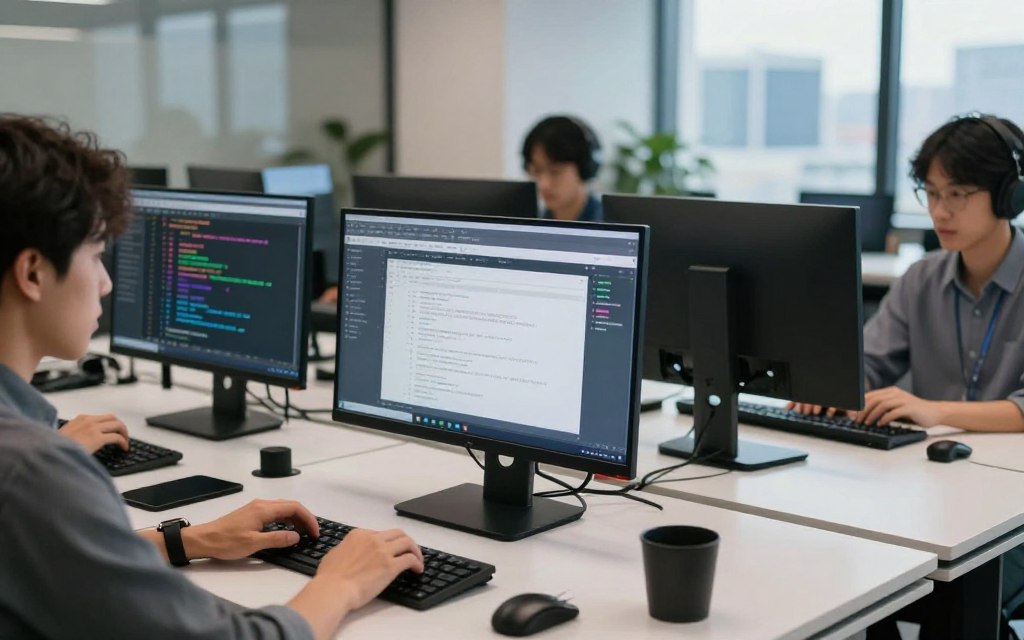
Preparing the same software or account settings on several computers can involve many repeated steps. A small script can handle some of that work consistently.
In IT, code can save time on repeat tasks and help staff solve system problems. It can also manage infrastructure, the hardware and services that support an organization’s technology.
Automating routine work
IT professionals may use scripting to automate system administration, manage user accounts, or deploy software. Deployment means making software available on the computers or systems that need it.
For example, an IT team preparing a standard application on several computers could use a script to apply the same settings. Staff would still check the results and handle unusual cases by hand.
Automation does not suit every task. A one-time change with many exceptions may be safer to do manually than to script.
Troubleshooting and connecting systems
Code can help staff inspect error logs, which record events in software or systems. A script may sort log entries and point to a pattern linked to a failure.
Infrastructure as code means using code to manage systems infrastructure. It can make repeated changes easier to record and apply in the same way.
What is programming used for in IT? It helps people manage routine work, examine problems, and connect systems. That is one practical reason programming is important in today’s world: it can improve efficiency and support problem solving.
Different types of programming work can support these tasks, from small scripts to full applications.
What Are the Main Types of Programming Work?
A website may display information and respond when you click a button. Different code can control what visitors see and what the site does behind the scenes.
Programming work varies by what it builds or controls. Some programmers create visible features; others write services, automate tasks, or control devices.
Front-end and back-end development
Front-end development creates functions linked to a website’s user interface, or the parts people see and use. A button, menu, or form can be part of that work.
Back-end development handles the logic that runs on servers. It may work with databases, APIs, and servers to store information or respond to a request.
For example, a visitor might select a button to view an item. Front-end code responds to the click, while back-end code may fetch the item’s details.
Scripting, systems, and mobile development
Scripting often uses short programs to automate tasks, such as checking files or changing settings. It differs from building a larger application, though scripts can still be important software.
Systems programming works closer to the computer’s hardware and operating system. It can control how the machine uses its memory or communicates with connected parts.
Mobile development creates applications for phones and tablets. It draws on ideas from web and traditional software development, but the small screen and touch controls shape its work.
These types of programming show that code can serve different goals. They also connect to IT specialties where programming demands vary.
Where Does Programming Fit Across IT Specialties?
A system administrator can use code to make cloud infrastructure changes repeatable. That approach helps the team apply planned changes in a consistent way.
Some IT specialties use code every day, while others rely more on configuring and operating tools. The amount depends on the role and its duties.
Cloud, networks, and cybersecurity
Cloud teams may use infrastructure as code to manage online services and system settings. Network staff can use code to check device status or apply changes across several devices.
Cybersecurity teams may use scripts and other tools to review alerts or spot unusual activity. Code can support security work, but staff also need to understand risks and system settings.
Data, artificial intelligence, and embedded systems
Data science uses methods, tools, algorithms, and systems to find patterns in structured and unstructured data. Programming can help collect, clean, and examine that information.
Machine learning uses data to build systems that find patterns and make predictions. Artificial intelligence work may use programming to develop algorithms that perform tasks linked to human thinking.
Embedded systems combine programmed functions with a larger electrical or mechanical system. A washing machine, for example, can use code to manage its programmed cycles.
Some roles write code daily; others focus on operating existing tools. Your target tasks can guide which language or tool makes sense to learn.
Which Programming Languages Should Beginners Know?
The right first programming language depends on the work you want to try. Start with the task, then choose a tool that fits the systems involved.
No single language is best for every beginner or every job. Python, PowerShell, Bash, and JavaScript each have common uses and different starting points.
Match a language or tool to the task
Python is a high-level programming language often used for scripts, data, and applications. PowerShell and Bash are command-line tools used to manage tasks on different computer systems.
JavaScript is a high-level language often used to add interactions to websites. A beginner can compare these choices by asking what they want to build and which systems they plan to work with.
| Language or tool | Category | Common use | Beginner consideration |
|---|---|---|---|
| Python | High-level language | Scripts, data, and applications | Readable syntax for many tasks |
| PowerShell | Shell and scripting tool | Windows system tasks | Useful for system administration |
| Bash | Shell and scripting tool | Command-line and system tasks | Common in Unix-like systems |
| JavaScript | High-level language | Webpage interactions | Useful for interactive web work |
High-level languages use forms that people can read more easily. Low-level languages, such as assembly language and machine language, work closer to the instructions a computer processes.
Separate programming languages from markup and styling
HTML structures webpage content, while CSS controls how that content looks. They are not programming languages in the same sense as JavaScript, which can add webpage interactions.
Choosing a tool is only a first step. Regular practice helps you build the skills to use it well.
How Can You Start Learning Programming for IT?
Pick one small, useful problem instead of trying to learn several languages at once. A clear goal gives your practice a purpose.
Build basic skills by writing, testing, and fixing small programs. A simple system check or data-cleaning script can connect learning to an IT task.
Build fundamentals through practice
Begin with basic syntax, the rules for writing code, and logic that tells a program what to do. Practice with small examples before adding more steps.
Use this five-step route to shape your learning:
- Choose one small goal, such as checking whether a file exists.
- Learn the basic syntax and logic needed for that task.
- Practice regularly with short coding exercises.
- Build a small project tied to an IT task.
- Test the result and debug errors you find.
Testing shows whether a program works for the cases you expect. Debugging helps you find why it fails and make a useful fix.
Choose a learning route and make a small project
Online tutorials offer a self-guided way to learn at your own pace. Coding boot camps provide focused study, while certifications can mark learning in a particular area.
University degree programs can combine programming concepts with practical projects. Computer science and software engineering programs are two options, but each calls for time and cost.
A project gives you something specific to test and explain. You might write a system check that reports whether a computer can reach a service, or a script that cleans a data file.
Practice can help you decide whether you prefer IT operations, development, or work that combines both.
Which Career Paths Combine IT and Programming?
A day in IT operations may focus on keeping systems reliable; a developer’s day may center on building application features. Both paths can involve code, but their daily tasks differ.
Choose a direction by the work you want to do, not by a title alone. Job names and duties can vary across employers and the technology industry.
IT operations often maintain systems, while software development often builds applications. Hybrid roles connect software with infrastructure.
IT operations and support
IT operations and support roles help keep computers, networks, accounts, and services working. Some professionals use scripts to handle routine system tasks or check for common problems.
Other roles focus more on helping users, setting up devices, and managing existing tools. Their coding needs depend on the employer and the systems they support.
Software development
Software developers build and maintain applications. Their work can include planning features, writing code, testing changes, and fixing problems after release.
Software engineering is a related career focused on creating and maintaining software through an organized development process. Southern New Hampshire University’s overview of programmer work describes building, testing, and maintaining software.
An IT student can work toward software engineering by building development skills and showing them in relevant projects. A degree alone does not guarantee a particular job.
Hybrid roles and choosing a direction
Hybrid roles connect software with systems or infrastructure. These jobs may involve cloud services, automation, security tools, or software that helps manage IT systems.
The table compares common directions. Treat the listed skills as starting points, since each employer may set different duties.
| Career direction | Typical focus | How programming may feature | Useful starting skills |
|---|---|---|---|
| IT operations and support | Keep systems and users supported | Scripts for repeat tasks or checks | System basics and troubleshooting |
| Software development | Build and maintain applications | Core part of writing and testing software | Programming and project practice |
| Hybrid roles | Connect software and infrastructure | Automate or manage system services | IT foundations and coding practice |
Use this checklist to compare a role with your interests:
- Which daily tasks would you rather do: support users, build features, or manage systems?
- Are you more interested in building software or maintaining systems?
- Are you willing to keep learning as tools and duties change?
- Which job descriptions are available in your area, and what skills do they ask for?
Choose an IT role if you prefer operating and supporting systems. Choose development if building applications interests you more, or explore hybrid work if both appeal.
Conclusion
Programming is a useful part of IT, but not every IT task requires it. The right mix of skills depends on the role you want.
Pick one target role and try a small coding project related to its work. That step can show whether you enjoy writing code and solving the kinds of problems the role brings.
You do not need to settle on a whole career before you begin. Choose a role to explore, then start with one small project.


 By
By


 By
By